
How to Use the FaceCheck ID Search Engine?

What Is FaceCheck ID?
FaceCheck ID Search Engine is an advanced online resource that uses AI tools and face recognition technology. You can upload the photo of any person and this smart search system will find the references and texts related to this photo.
The FaceCheck .ID search engine assists in identifying people in such niches as finance, security, and other web services with a demand for identity verification. It is simple to use and can be added to current systems and procedures, which saves both time and money for businesses of different scales. It improves safety precautions while giving customers a smooth experience.
The Major Features of FaceCheck ID
Despite the obvious feature of searching the online references about people by photos, the FaceCheck ID online resource offers multiple extra features including:
- This tool quickly and accurately verifies identities by comparing facial characteristics with registered profiles.
- This method analyzes the special facial attributes and makes a facial signature or template. It matches this with other data in a database to confirm identity;
- The tool controls entry to protected zones by scanning faces, doing away with the requirement for physical access cards or passwords;
- FaceCheck ID assists in the fight against identity fraud;
- It can adjust to different amounts of work and numbers of users;
- FaceCheck .ID is commonly used by educational institutions and workplaces for automated attendance tracking;
- The online search platform provides a better user experience;
- The tool emphasizes data security by using encryption, access controls, and other methods to safeguard facial data;
- You can integrate with different software systems and hardware devices, increasing its usefulness;
- Advanced AI technology for accurate face detection and similar face checkups;
- This platform can search through social media, news sites, blogs, mugshots, and sex offender lists of local police department offices;
- You can check with the FaceCheck ID the Instagram and Facebook accounts of your partner to see if they have hidden accounts to cheat;
As you can see, this online platform can offer many features. By the way, if you require a reliable search utility for your Windows files on PC in an offline mode, consider checking the Classic Agent Ransack review.

How Does FaceCheck ID Work?
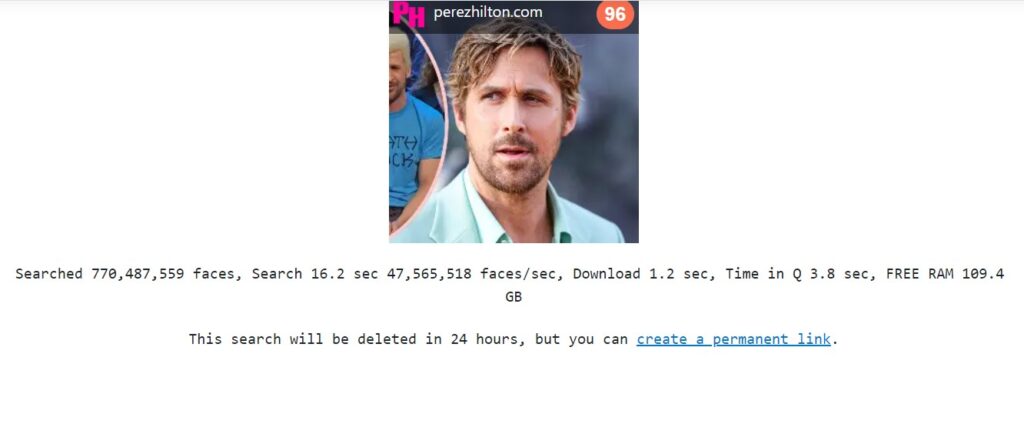
You upload the photo of a person you want to learn more about online. The FaceCheck ID service analyzes the photo for a few minutes and provides the results. All the results are divided into a few categories with the so-called “Match Score”.
The FaceCheck ID match quality score is presented as a number from 0 to 100, divided into 4 groups with different colors. This is what each score means:
- The score of 90 to 100 – the certain match;
- The score of 83 to 89 – the confident match;
- The score of 70 to 82 – the uncertain match.
- The score of 50 to 69 – the weak match;
A score of 83 and higher is considered a good, reliable match. For example, you get the results with the person’s photo and short description from the FaceCheck ID Facebook profile with a matching score of 85%. It means that there is a certain match you can check manually.

Pros:
- Easy to use;
- Available for free with limits;
- The privacy of user data is provided;
- The large image database;
Cons:
- Occasional downtime period on the website;
- No downloadable reports after getting the search results;
How to Use FaceCheck ID?
It is a very straightforward process. Follow 3 simple steps:
1) Visit the Website
Go to FaceCheck.ID official website. You don’t even have to sign up to get the FaceCheck ID login for the first time.
2) Upload a Photo
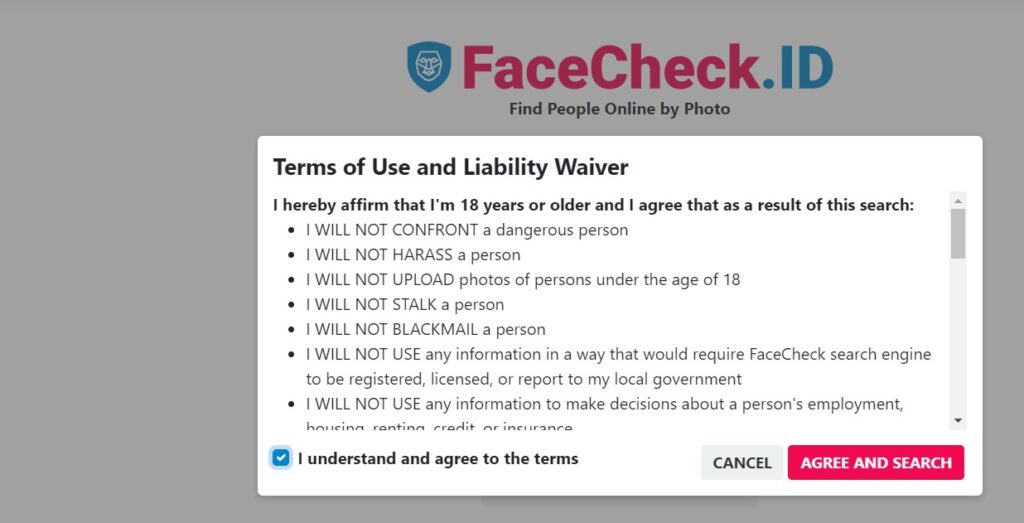
Press the “Browse” button to upload the photo. Tick to agree with terms and also complete the “Captcha” routine, then begin the search.

3) View The Results
Hang on for a little while until the search results appear on the screen. Then, the report will display images along with a matching score that demonstrates how similar they are to your uploaded photo. Generate an ongoing link so you can keep the report as a reference for later. There are no downloadable reports, though.
Can You Download the FaceCheck ID App on Android and iOS?
Currently, the official information from the developers of FaceCheck, ID search engine, about the availability on other platforms doesn’t confirm any iOS app. The good news is that you can find this application on Android. Follow this Google Store link to download the FaceCheck ID apk on your Android device.
Also, you can install the Chrome browser extension if you use this online search engine all the time. The developers shared the public FaceCheck ID API for everyone interested. Visit the official website to get more information about that. You can include facial recognition in your apps or websites smoothly using the simple REST API of FaceCheck. ID.
Is FaceCheck ID Safe to Use?
FaceCheck ID has many benefits in terms of ease and speed – but what about the privacy of user data?
FaceCheck ID is a secure and dependable method to confirm one’s identity on the Internet. FaceCheck, according to its privacy policy, does not gather or spread any personally identifiable data about the users. It only provides the already public links to the websites where it finds similar matches of a detected face photo.

The FaceCheck AI algorithm does not seek out children’s faces and follows stringent ethical and legal rules in presenting the match results for real human faces. FaceCheck ID captures a small-resolution thumbnail of your picture, along with the URL link to a website. The personal identification information is not presented or stored after you complete the search results.
FaceCheck ID is a trustworthy method for verifying identity that includes high-level technology and strong privacy protection.
Is FaceCheck ID Free – The Pricing Options and Freemium Model
FaceCheck ID gives options for both free and paid services. The free choice lets you do a certain number of searches every day, while paid services offer more searches per day.
According to the official website as of May 2024, the prices for these premium services begin at $ 10 per month or you can pay for a year with $ 90 to get a full subscription plan. The subscription gives the option of limitless searches.

The credit packs for searches can also be bought with cryptocurrency, starting at $ 6 for 36 credits (1 search request costs 3 credits) and going up to $ 597 for 10,000 credits.
There were the days when FaceCheck ID used to be free for everyone, without any limitations. However, the improved algorithm and increased popularity delivered the freemium model for regular users. Check the discussion on this matter on Reddit.
Is It Legal To Use FaceCheck. ID?
To use FaceCheck ID legally, it must follow all relevant rules and laws. This implies getting clear permission from people before recording and handling their facial information, setting up strong safety arrangements, explaining the aim and extent of use, as well as keeping track of changing regulations.
In legal terms, FaceCheck is a search engine that indexes publicly accessible images. It functions in the same way as Google and Bing, which gather pictures from the Internet and social media to create their vast and very public database. The developer of FaceCheck ID values intellectual property and will respond to valid requests about copyrighted content.
Additionally, they adhere to laws and ethical guidelines governing facial recognition technology that protect people’s privacy rights. If you are living in an area, where this type of technology is considered illegal within your jurisdiction then please stop using this website immediately!
How to Remove Your Photos from the FaceCheck ID Search Engine?
Look at the search outcomes for the person’s pictures you desire to erase. Push on the top menu where it says “[Remove My Photos]” link, and after this choose all the photos that you want to take out.
At the end of the page, you can upload a person’s passport, driver’s license, or citizen card. This document will only show the face of the individual whose photos you aim to delete. It will hide any other delicate details like name, address, and ID.
If there is no ID document, you can upload a selfie with your face and two fingers on your chin. After finishing the form, they will send a tracking link to you. The time needed by the team for checking identity and deleting from the database could be up to 5 working days. You will be notified by email.
Attention! FaceCheck ID will not delete photos of convicted rapists, child sex offenders, or other violent criminals whose actions could pose a risk to public safety.
The detailed guide on how to remove your photo from the FaceCheck ID database.
What Are the Sites Like FaceCheck ID?
Apart from FaceCheck ID’s ease of use and extensive database, you may consider other alternatives like:
- PimEyes. It is known for robust facial recognition even with changes in appearance;
- TinEye. It is excellent for identifying similar images, though it focuses more broadly than just faces;
Comparison with PimEyes as the Main FaceCheck Alternative
FaceCheck ID stands out against major competitors like PimEyes for several reasons:
- Free Access. The platform gives additional capabilities for free, unlike PimEyes which demands payment for in-depth reports;
- Easier to Use for the Photo Removal. They offer a process that lets you take out your photos from the database without needing an ID or passport;
- More Results. It may generate more comprehensive reports with a higher number of matching images;
Frequently Asked Questions About FaceCheck ID
Should you pay to remove your photos from the FaceCheck ID database?
No, there is no charge for removing your photos from FaceCheck. They are morally upright and maintain a strong sense of integrity.
Does FaceCheck ID collect, store, or trade personal information?
No, there is no collection, storage, displaying, or selling of any personal information (names, addresses, phone numbers), according to the privacy policy and ToS of FaceCheck ID. The system only stores the small-size pictures and website links from public third-party resources.
Does FaceCheck ID’s AI search for individuals under 18?
No, their AI is only focused on adult faces and won’t recognize the children’s photos.
Does FaceCheck.ID guarantee identity matches?
Though, it gives a match quality score, this method doesn’t promise identity matches because of possible doppelganger effects and differences in picture quality.
Does FaceCheck .ID store your search history?
No, FaceCheck. ID does not record the user’s search history or IP addresses. All the search results with links are erased after 24 hours since the request.
Conclusion
The FaceCheck ID online search platform delivers convenience and safety, but using it also means taking up responsibilities for safety, privacy, and following the law. As this technology progresses, the organs of legal control must keep changing accordingly too – making sure FaceCheck ID stays as a safe and ethical tool promoting good habits rather than becoming an item of dispute.







1 thought on “How to Use the FaceCheck ID Search Engine?”