How to Use the MiniTool Video Converter With Ease?

What Is MiniTool Video Converter?
Have you ever had a case when a video file just wouldn’t play on your device? Or perhaps you’ve wanted to transform a catchy song into a video format? That’s when the MiniTool Video Converter comes in handy. This software is available free, though with some limitations. In most video-converting cases it functions like a magic wand capable of transforming your audio and video files into the popular content with one simple click.
Any positive MiniTool Video Converter review claims this converter has proved to be effective and trustworthy. Let’s make sure on our own!
The MiniTool Video Converter’s Features, Pros and Cons
This powerful tool does more than just change the format; it alters how you engage with media files. It offers such features to experiment with:
- More than 1000 formats available;
- You can also directly download it from YT;
- The Screen Recording option;
- Transform your video or audio files from one format to another;
- Use the batch conversion to transform up to 5 files simultaneously;
- Boost your video quality up to the breathtaking 4K resolution;
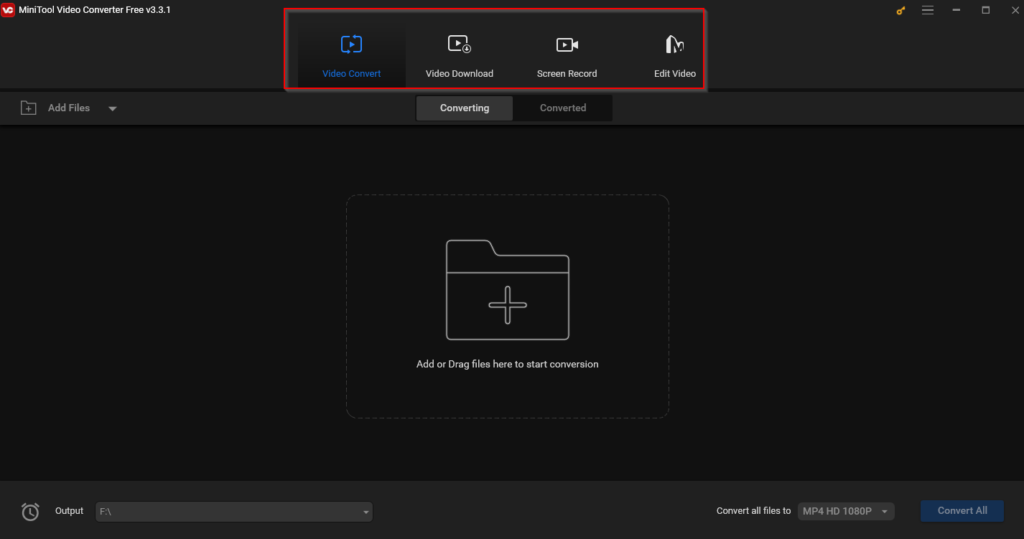
The design is neat and simple to comprehend. The straightforwardness does not lessen its power; the software provides strong choices for conversion that let people convert videos into different file types such as MP4, AVI, or MOV among others.
Pros:
- Download in 4K resolution directly from YT;
- There is a MiniTool Video Converter portable version for PCs;
- The Batch Conversion;
- Free and premium versions (based on subscription);
- More than 1000 formats;
- Simple and clean interface;
- Flexible Screen Recording option;
- It is lightweight;
- Easy to install and use;
Cons:
- The MiniTool Video Converter free version is limited;
- The subscription cost could be lower;
- Not enough options for customization;
- You can download only from YT;
In terms of performance, this tool is very good. It converts files quickly and the quality of output was pleasing. The videos that got converted kept their visual and audio details, something important for both professional and personal purposes where we can’t compromise on the video’s quality. The feature of converting many files together in a batch saves much time and improves efficiency for users who have many media to change at once.

In addition, a built-in download facility to directly get videos from common video-sharing sites is also very useful. People who wish to both download and transform videos at once find this feature highly convenient as it makes the process much more efficient.
The Installation Process of the MiniTool Video Converter Full Program
It is a straightforward installation process. Download the setup file. Make sure to download MiniTool Video Converter setup file from the official website instead of using doubtful third-party sources. In the best cases, they offer the so-called “MiniTool Video Converter crack” that can “unlock the paid version for free”, just for a lower cost. It is a fraud. Such files usually contain malware/spyware/adware that can contaminate your PC instead of assisting in solving your converting tasks.

After getting the download file, double-click on the .exe installer. The installation should start immediately. Follow the screen tips to finish the installation process on your PC.
The MiniTool Video Converter full version is now prepared for use! Start converting your local videos, download the videos from YT, or record your screen before the conversion. The interface has a user-friendly design with straightforward buttons.
Is there a Minitool Video Converter offline installer? The .exe file can be downloaded from the website. Then you can locate this offline installer and activate the software with a free/premium MiniTool Video converter license key.
How to Use:
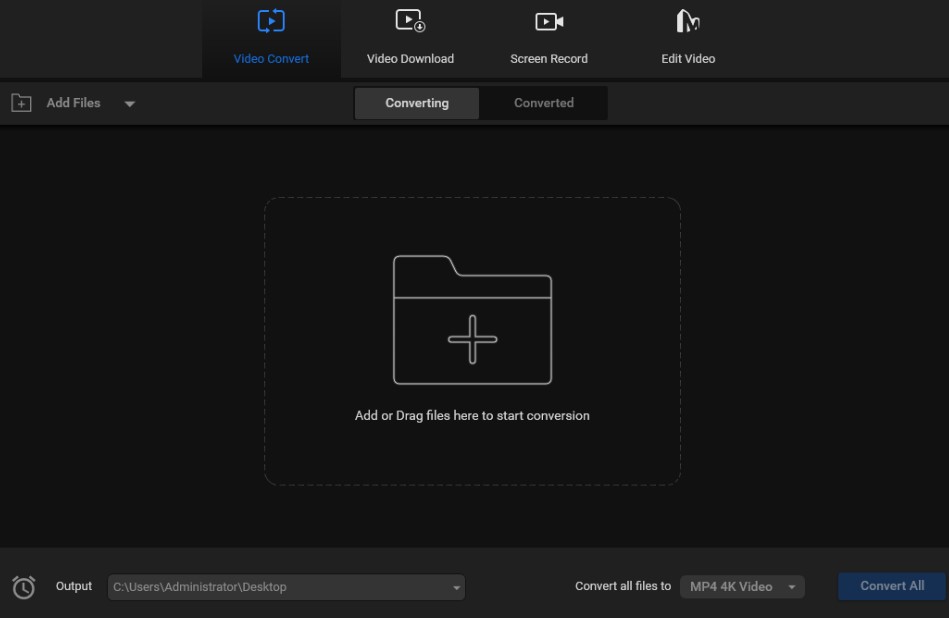
- If you intend to download from YT, find the “Video Download” field found at the program’s upper part. You will be redirected to the YT within the built-in browser of the software;
- On YT, there is a search bar where you can type in what clip exactly you intend to get;
- Find the download button, usually located at the top right corner of the interface, and click on it. The utility will analyze the clip before downloading;
- After the analysis, the settings for downloading will be shown in the tool’s interface. You can pick between the resolution and file formats before downloading the video from YT;
- To start the conversion, click on “Add Files”. Choose individual files or select “Add Folder” to bring in a whole batch of files;
- Another method is to drag files into the program’s window. When you finish uploading, the section “Add or Drag files here” part will disappear, showing your files;
- The “Conversion Panel” shows all the media files lined up for conversion, so you can see what’s next in line;
- The “Converted Panel”. Once your files have been converted, look for them in the “Converted” area to confirm if they are in the required format;
- Use the “Convert All” feature to transform all your files with a single click into the format you wish. Then save them in a specific folder on your PC;

The tool converter saves the video or audio from YT to your PC and you can then watch your downloaded files even without the Internet connection to watch/listen.
MiniTool Video Converter – Pricing and Subscription Plans:
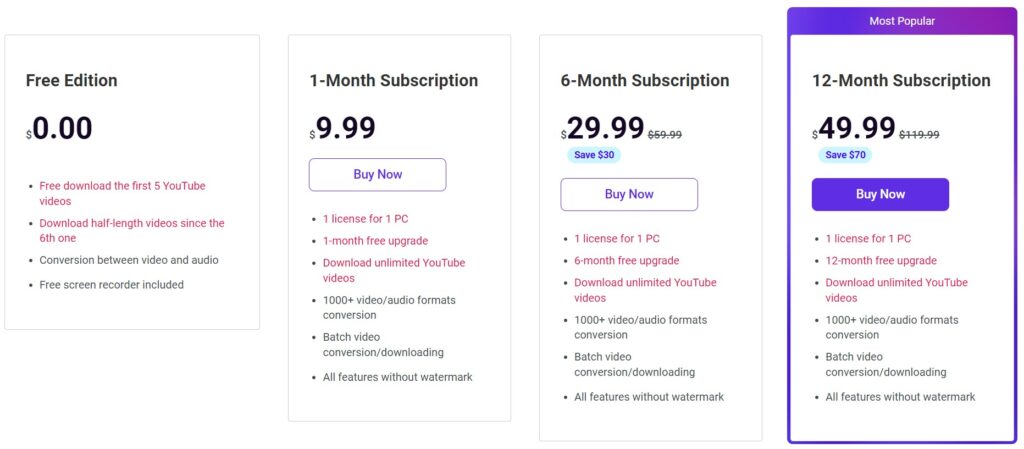
1) Free Version: The free edition is very useful but it has some restrictions. You can download 5 YT videos without any charge. Before the MiniTool Video Converter free download, bear in mind that you can process no more than 5 files with no more than 100MB for each file to transform.
2) Subscription Plans:
- For a month. It is a great term to test the functions of this software. The price of this option is $ 9.99;
- For 6 months: Costing about $ 29.99, this plan offers a MiniTool Video Converter license key for 1 PC, with more than 1000+ video/audio formats accessible for download;
- For a year: The price of $ 49.99 for one year is a better choice for people who use it regularly, as they save a lot compared to the monthly price;
Unfortunately, there is no Lifetime plan to purchase a MiniTool Video Converter license key once and for all. This tool only has recurring subscriptions, so if someone wants continuous use of the software they will end up paying more than $ 100 within a year.
Alternatives to MiniTool Video Converter
Despite numerous features, the MiniTool converter is quite limited, especially when it comes to its free version. These alternatives can fix these restrictions:
1) StreamFab YT Downloader Pro
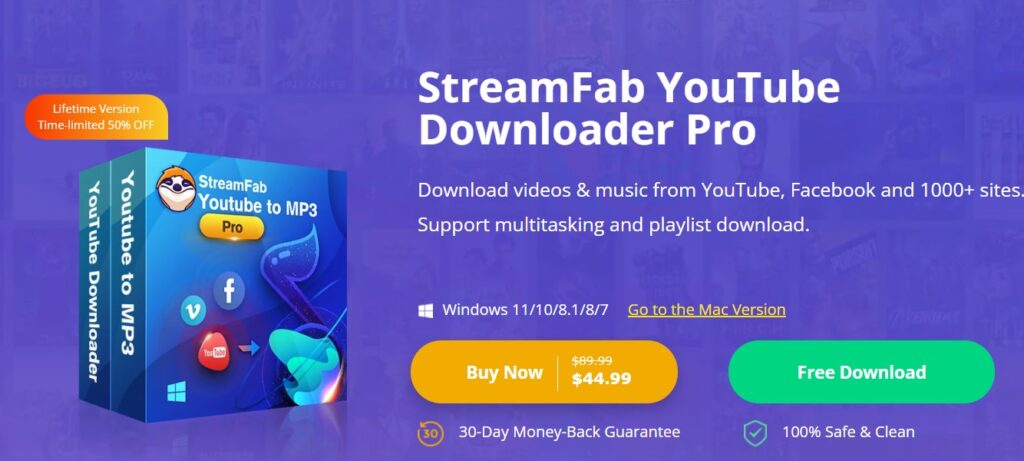
StreamFab has the ability to download 1-hour-long YouTube videos within 20 minutes. It has a default browser for downloads and allows you to copy/paste direct URLs as well. This method is simple and direct. Although StreamFab has a primary focus on YT, it is also intended to work with other platforms. This makes it more useful than MiniTool.
2) Handbrake
Handbrake is a free open-source video converter that can transform a large variety of video formats. Handbrake can handle a majority of typical multimedia files and all DVD or Blu-ray sources that lack copy protection.
If these options seem limited, be sure to check our full guide on the best YT to MP3 converter tools and utilities. There are offline and online options with free and premium packages of features to test.
About MiniTool Video Converter: Frequently Asked Questions
- What are MiniTool Video Converter requirements for your PC system?
It is compatible with everything from Windows 7 to 11. You just require a good processor (for example, IntelCore i5+, 4GHz+), some RAM (4GB), and 1GB space on the hard drive – it should be enough.
- Is there a MiniTool Video Converter Mac version?
It doesn’t work only on Windows-based PCs. The converter has a native Mac OS version available for download and use.
- Is MiniTool Video Converter safe to use?
Some Reddit users agree on the MiniTool Video Converter safe status. However, to be sure – use only the developer’s website to download this software. Also, always run the antivirus checkup immediately after getting a .exe file.

- Can you transform multiple files at the same time?
Batch conversion is a premium feature that allows converting multiple files at once. This saves time and improves efficiency if you are into video blogging.
- What are the restrictions for the converted file sizes?
The MiniTool Video Converter free version allows converting only videos that weigh 100MB or less. If your files are bigger than this, upgrade the tool to the Pro version.
MiniTool Video Converter has a user-friendly interface that makes sure you are never confused, even when doing multiple complicated tasks simultaneously. The absolute best thing about this converter is how it adjusts according to your multimedia requirements making the converting process of video/audio files easier than ever before. If you require a reliable, safe, and simple-to-use video converter – MiniTool got you covered!