Google Block Breaker Review – Browser Games Are Fun

What Is Google Block Breaker?
Google Block Breaker is an online mini-game hidden in the Google search results that is based on the 1970s arcade game Breakout by Atari. It is one of those nice Easter eggs that Google likes to put on its main page. Think of the Pac-Man Doodle or the Snake game. Type in the name of the game “Google Block Breaker play” or “Atari Breakout” into Google, and you will get a playable game right in your browser on any device. No downloads, no apps, no money, just instant fun without any conditions.
Google Block Breaker is a classic game where you have a paddle at the bottom of the screen and a ball that you bounce to break colored blocks at the top. The game aims to clear all the blocks to move to the next level, but you can’t allow the ball to pass your paddle, as you will lose a life.
Sounds simple, doesn’t it? It’s not. Google Block Breaker begins slowly but progressively becomes more fast-paced with the balls that are harder to hit, block patterns that are more difficult to predict, and power-ups that can either help or halt your progress. It is a retro-vibe game with a modern polish. The KimliSoft team has played a few times, and every gaming session turned out to be fun and easy-going.
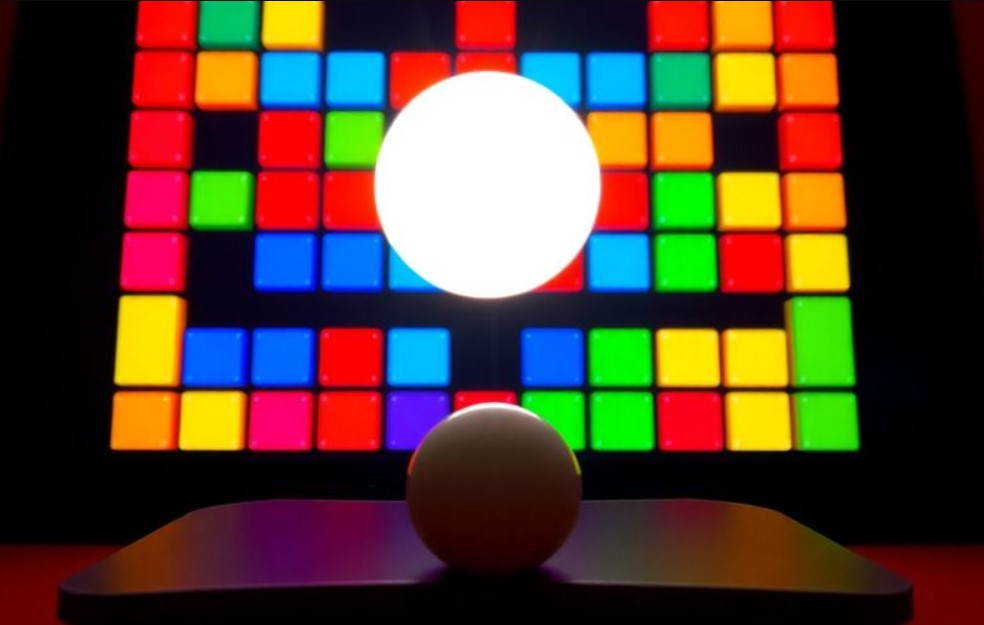
The best thing about Google Block Breaker is that it is accessible. It works on desktop and mobile on any modern browser, including Chrome, Firefox, and Safari. No gaming PC or cool app required. It is free, loads fast, and is designed to waste a few minutes (or hours) without asking you to give it all your attention. It can be considered the digital version of drawing in a notebook, but in a much more gratifying way when those blocks explode.
Major Features of Google Block Breaker
Despite the first false impression, Google Block Breaker is not just a lazy clone of Atari’s Breakout. It adds modern flair to the classic gameplay. Here are the main features that set this game apart:
- Bright Visuals. Red, yellow, blue, and green blocks against the black background come and go with stunning animations. It looks like a full-fledged mobile game with some distinct visuals you won’t forget. It seems the game is available on all devices in HD with bright, neon-like colors.
- Power-Ups. When you break certain blocks, power-ups may drop down. Catch them with your paddle (a long white line) to unlock a longer and wider paddle, extra colored balls, and lasers to zap more blocks coming to you. There are even TNT blocks to vanish entire rows. But beware – some blocks can drop downgrades that may shrink your paddle or speed up the ball.
- Infinite Levels. We still don’t know if there is an endgame here. Each level introduces layouts and faster balls. The more you play, the harder it gets. Candy Crush games are more arcade than this game, with endless challenges.
- Cross-Platform Play. Play anywhere (except Xbox – not pun intended!). No matter if you prefer to take a short Google Block Breaker session on a laptop, phone, or tablet, the game works smoothly. But there are no cross-platform saves.
- Pause and Resume. There are no saves. But you can switch tabs mid-game, and Google Block Breaker will be paused automatically. Return to the game. The most important thing here is not to close the browser or tab with the game.
All these features make Google Block Breaker a real throwback. It is so easy to get immersed in a bite-sized adventure. The game respects your time because you decide when to start and when to pause. Though it can be tempting to chase the next big score.

Why Is Google Block Breaker So Addictive?
We’d like to enumerate a few addictive things about the Google Block Breaker game as we’ve seen them during our gaming sessions:
- Simple and challenging at the same time, thanks to easy-to-learn mechanics;
- No charge or hidden purchases;
- Quick to start and stop;
- Instant gratification – it is so satisfying to smash those blocks;
- Perfect for short attention spans;
- Nostalgic gameplay and retro vibe.
Alternatives to Google Block Breaker
While you are still figuring out how to create your first game with Claude API and SoulGen AI instruments, there are already a few solid alternatives to Google Block Breaker. These titles are not browser-based games, some of them are available only on PC or mobile, and some have paid content. Make sure to double-check their features before installing and playing. The rules are pretty much the same in all these games – break the blocks to get the scores and beat the AI-based opponent.
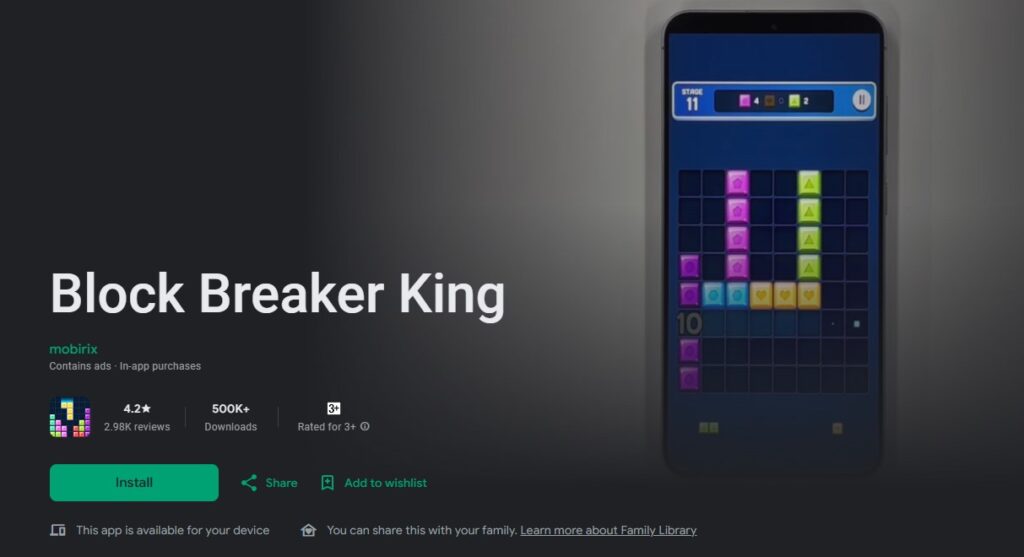
The following comparison table shows the best alternative games you may try if you’re tired of the arcade Google Block Breaker.
| Game | Platform | Price | Main Features | Best For |
| Google Block Breaker | Any browser | Free | Power-ups, infinite levels, no ads | Casual gamers, quick sessions |
| Bricks Breaker Quest | iOS/Android | Free + in-app purchases | 9000+ levels, customizable skins | Long-term mobile gamers |
| Breakout Beyond | PC/PS 4/5, Switch 1, Xbox One | $10 | Complex levels, customizable paddles | Dedicated arcade fans |
| Idle Breakout | Any browser | Free | Idle mechanics, currency-based upgrades | Strategic, low-effort players |
| Block Breaker King | iOS/Android | Free + in-app purchases | 1000+ levels, frequent ads | Casual players who are okay with ads |
How to Play Google Block Breaker?
Getting started is easy, but mastering takes some time. Here is how you should play the Google Block Breaker game:
- Open any browser or Google app on your phone.
- Search “Google Block Breaker play” on the page Google.com. There are also unofficial mirrors like “blockbreaker.io” and “elgoog.im/breakout”.
- Look for the interactive widget at the top search results and click the blue button “Play”.
- Use the left or right arrow keys or drag your mouse to move the long line called a paddle. The spacebar starts or restarts the game. Swipe your finger left or right to control the paddle while playing on mobile. By the way, we think that desktop controls are more precise and smooth, but the mobile experience was great too.
- Remember that you have only three lives (shown as circles in the top left corner). Lose a life when the ball slips past the paddle.
- Make sure to catch power-ups like extra colored balls or paddle extensions to boost the progress and get unique perks.

Tips for High Scores in Google Block Breaker
Do not let the easy-going mechanics of this game fool you. You can challenge yourself and other players by reaching the highest score possible. No one still knows how many points a player may get while playing the game in a gaming session. But there are a few tips that may get you as high as possible if you are persistent and concentrated enough:
- Stay closer to the center. Keep your paddle near the middle to react faster to the quick ball’s bounces;
- Angle the paddle right. Try hitting the ball with the paddle’s edges to control the trajectory properly. Target hard-to-reach blocks;
- Use power-ups. Grab extra balls or lasers to clear levels faster. But do not chase every power-up because some are traps;
- Be patient. Early levels are very forgiving, but later ones get more chaotic. Stay calm during multi-ball mode to avoid losing precious lives;
- Aim for combos. Break the blocks in quick succession or clear a level without losing a life to strike a combo.
Also, we recommend checking this video where a casual gamer shows how to get the high score of 70,000 points in the game Google Block Breaker. It is truly amazing to watch the whole thing with a few awe-inspiring moments, for sure.
FAQ
Is Google Block Breaker free?
Yes, the game is totally free – play anywhere without spending money from Google Search in any browser on any device. Downloads or upgrades are also not necessary. Just hit the button “Play” and enjoy.
Where can I play Google Block Breaker?
The most obvious choice is to go to Google.Com – type “Google Block Breaker play” to start the game. No app is required, though there is a more advanced version with advanced mechanics on the Google Play Store.
Can I turn off the sound in Google Block Breaker?
By default, you start the game muted. There is a volume icon to toggle the retro sound effects. Turn them on or off. This game can be perfect for quiet gaming sessions.
How to get the maximum score in Google Block Breaker?
Do not miss the combos and power-ups like extra balls. Use paddle edges to hit the ball with higher precision.

What is the maximum score in Google Block Breaker?
There is no official maximum cap on scores in Google Block Breaker. The game offers infinite levels with escalating difficulty. There is a public record of getting the highest score of 1,247,500 points, but it is hard to check if the record actually happened.
Conclusion
What do you think about such software from Google? It is a bit unexpected to read the reviews on our website that focuses on useful tools and software options. But if you seek a great example of an in-built browser game that delivers leisure gameplay with a great challenge at the same time, pick Google Block Breaker. This game’s clone can also become a good example for a pet project or portfolio if you are an aspiring game developer.
Keep on reading KimliSoft if you like this type of content. Make sure to bookmark and follow this blog to get more interesting reviews, guides, and tips.