Clean your iPhone With the iFreeUp Tool on Windows
When Do You Need to Use iFreeUp Utility?
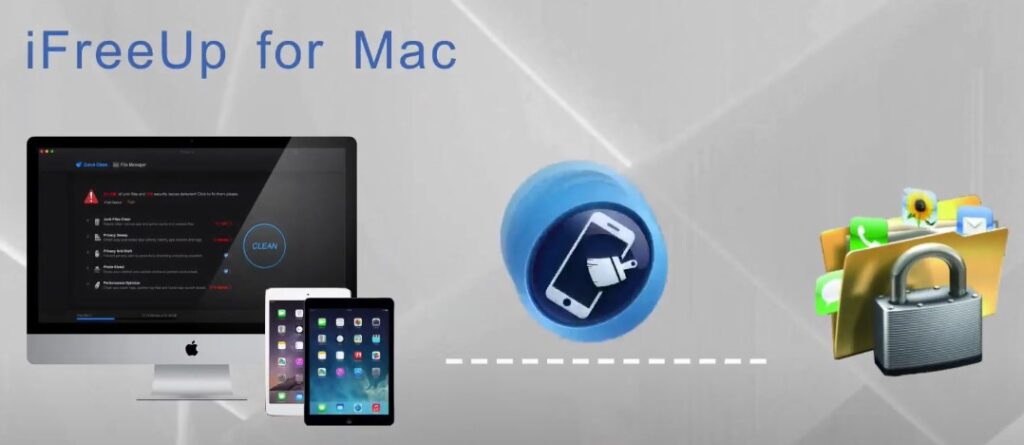
The iObit’s iFreeUp iPhone Cleaner is a top-notch free utility used to clean and optimize the iPhone storage space on Windows. It was released a few years ago to deliver a reliable cleaning utility for iPhones and iPads on Windows-based PCs.
It is a funny thing how quickly the 64GB of iPhone’s hard drive space can be cluttered and you won’t have enough space for really useful files and photos. The reason for this is that smartphones get more features along with tons of junk files. These files are full of leftovers after the installation of applications, browser cache cookies, and other worthless data. Although you can remove these files by yourself, cleaning iOS tools like iFreeUp makes the task simpler.
Advantages:
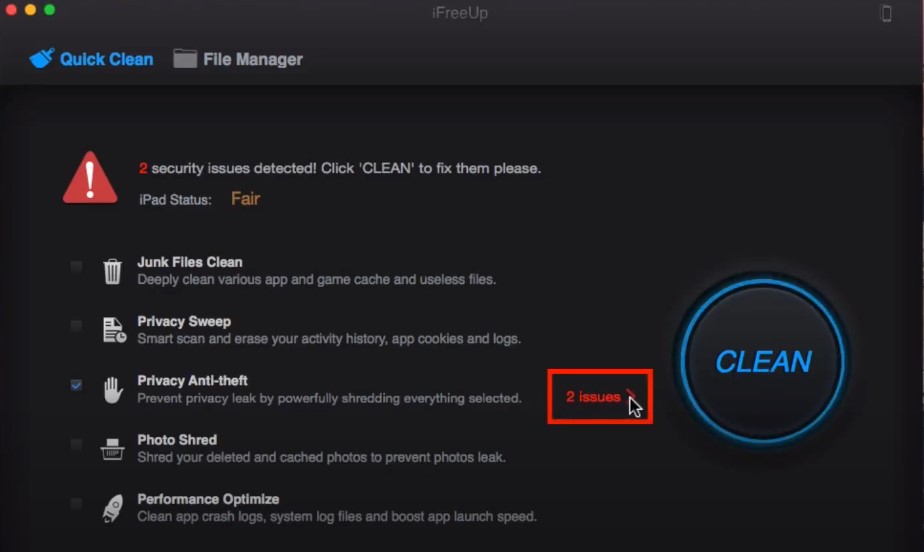
- Can easily remove junk files created by iOS with one click;
- It can virtually “shred” photos to maintain strong privacy;
- Delete videos, music, apps, and photos from your iPhone;
- Enhance iPhone performance;
Disadvantages:
- Doesn’t support temporary file cleanup;
- Limited functions compared to other premium tools;
- It can only delete photos and can’t compress them;
- The pro version is hard to find and pay for since the official developer doesn’t sell it;
If you are not ready to accept all these drawbacks, you may consider checking a similar utility with more premium features – check our review of Apeaksoft Mac Cleaner for iPhone/Mac/iPad devices.
The General iObit iFreeUp Info and Key Features
iFreeUp, as the name suggests, is a tool that “frees up” the useful storage on iOS devices through Windows. It can help you manage those big files and prevent privacy leaks. With storage that can’t be expanded, your device might get filled with junk files and large media quite fast. Hidden junk and even deleted photos might lead to privacy breaches.
iFreeUp can get rid of all types of junk files, such as app caches, logs, and cookies. In such a way, you can boost the iOS system’s operation and secure your private information on a handheld device.
It’s convenient to move photos, videos, music, books, apps, and podcasts from iOS gadgets to computer systems. iFreeUp helps in freeing more space and secure private data. It can also shred deleted photos that the user doesn’t need.
iFreeUp is a beneficial tool that aids in maintaining the performance of your iPhone, iPad, or iPod Touch devices with 32GB/64GB storage capacity.
Clean Junk Files
You can clean junk files from iOS and third-party apps with just one click, which helps to free up storage space. This Reddit user claims the program is quite efficient as a totally free utility tool for iOS/Mac.
Performance Boost
Remove useless cache and log files to enhance your iOS device’s performance.
“Shred” Deleted Photos
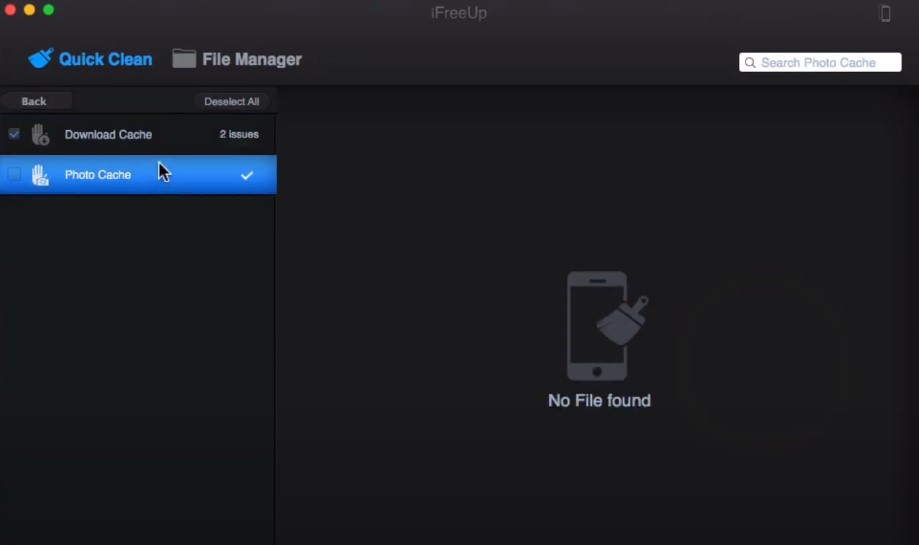
The tool helps to shred the deleted photos to prevent privacy leaks.
Transfer and Manage Your Files
iFreeUp lets you move pictures, videos, music, books, applications, and podcasts between your iOS gadgets and PCs. This function is very helpful for people who prefer to organize their files on more than one device. If you have the the iFreeUp iPhone cleaner license key, then you should manage the files is simple while keeping the device efficient.
Safe Delete of Junk Files
Every deleted file is permanently shredded to protect your privacy.
Multilingual Support
It is available in 26 languages including English, Chinese, Spanish, etc.
How to Download and Install iFreeUp Utility on Your PC?
The iFreeUp app is useful for managing and cleaning your iOS devices, making sure they are free from unnecessary items and working well.
You can download it on your Windows PC by following these steps:
1) Download the iFreeUp from the Trusted Source
A few years ago, this utility tool was available on the official iObit website but right now you can download the latest version of iFreeUp only from trusted websites like CNet. Be careful though to avoid any malware hidden as “iFreeUp keygen” or something like that.
2) Start the Download
Click the download link. Your browser will ask where you want to keep the installer file. Select a location on your computer and save it there like in the Downloads folder.
3) Install the tool
After the download finishes, go to the spot where you kept your installer file. Tap two times on it (usually called iFreeUp_setup.exe).
A safety message could show up, questioning if you desire to permit the application for modifying your device. Press the “Yes” button then.
4) Follow the Installation Wizard
The iFreeUp setup wizard will launch. Follow the onscreen instructions:
- Click “Next” to begin the installation process;
- To continue, you must read and agree with the End User License Agreement (EULA). You can do this by selecting the checkbox and then clicking on “Next”;
- Choose the installation location or leave it as the default path. Click “Next”;
5) Complete the Installation
Click “Install” to start the installation. The process may take a few minutes. Once the installation is complete, click “Finish” to exit the setup wizard.
6) Launch and Use
You can start the tool after the installation process is completed. Look for its shortcut on your desktop or find it in the Start menu search.
7) Connect Your iOS Device
Then, take a USB cable and link the iPhone, iPad, or iPod Touch to your computer. Ensure that iTunes has been set up on your PC because iFreeUp needs it for device recognition.
8) Start Managing Your Device
After the connection of your device, iFreeUp will understand it and you can start cleaning junk files, handling apps as well as shifting data between your iOS gadget and PC.
How to Use the iFreeUp Tool to Clean Your iPhone/iPad on Windows?
The setup process is simple and quick. Make sure you have iTunes installed on your system before running iFreeUp.
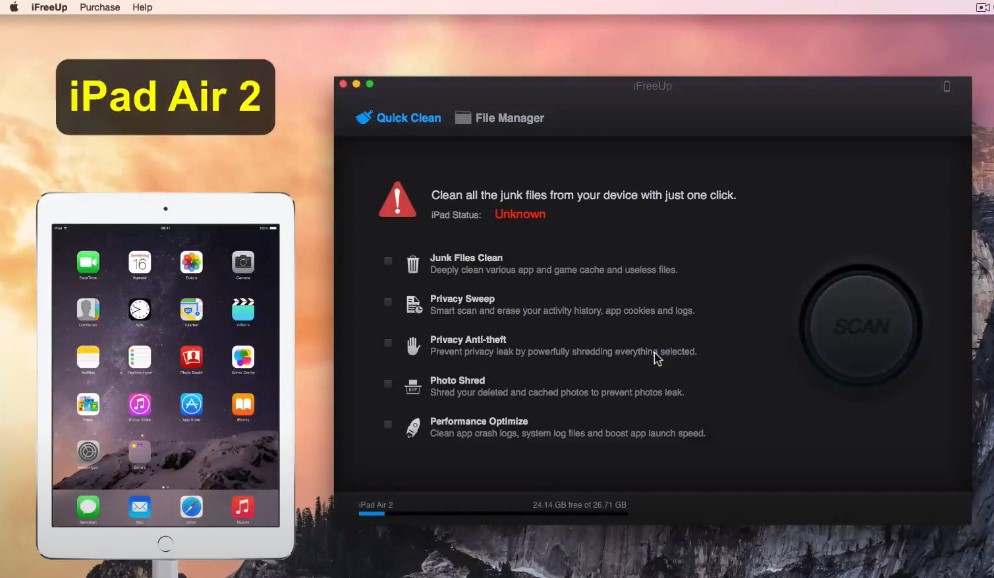
The tool has an interface that is pleasing and easy to use, like other IObit applications such as IObit Uninstaller and Advanced Ultimate Care. When you connect your iPhone or iPad to the PC, a scan can be done to find unnecessary files that can then be deleted.
The utility makes the storage optimization on the Apple’s device a simple task:
- Just tap the sweep icon “Scan” after connecting your iOS device to the PC with installed Windows OS;
- The tool will diagnose and clean out unnecessary files for you;
- After scanning, it shows you a list of deleted or altered files;
We highly recommend watching this YouTube video tutorial about the use of the iFreeUp tool.
Can You Buy an iFreeUp Pro Activation Key in 2024?
According to the official iObit website, iFreeUp is no longer updated or sold from the developer’s side. However, you can download and install this tool.
The iFreeUp’s free edition has no time limit, yet you can’t use its secured data deletion function. A few years ago, the developer required from you to buy the iFreeUp license code priced at $ 14.99/€ 13.14 (excluding VAT) for an annual subscription.
The iFreeUp-Pro prevents privacy leaks on iOS devices in several key ways:
- It scans and clears the history of activities, the app’s cookies, and logs to eliminate any signs of user action and avoid possible privacy leakage;
- Users can strongly shred chosen files with the iFreeUp tool to stop privacy leaks. This makes sure all the important data is completely destroyed and not possible to recover;
- iFreeUp has a safe delete function, it completely tears apart every deleted file to avoid privacy leaks. It’s more than just deleting files, this feature guarantees that they can’t be recovered;
Frequently Asked Questions
Is iMyFone Umate better than iObit’s iFreeUp utility?
iMyFone Umate offers several advanced features:
- Scanning the device to find and delete temporary files to restore the storage space;
- Compressing the photos without losing quality, reclaiming more than 75% of photo space. It additionally stores original photos in your computer before compression;
- Find the big files, sort them according to their size, and back up or remove these files to make room.
- Scanning iPhone storage, backup files, choosing to remove files, and enhancing your iDevice’s performance;
- The tool offers all these features at a competitive price;
Are there any hidden costs associated with iFreeUp?
No, this cleaning tool does not have any secret or extra charges. In 2024, it will be a free tool made to make better and handle iOS devices by removing unnecessary files, moving data, and stopping privacy leaks. You can download and use it without paying more money for any reason.
Can iFreeUp improve my computer’s performance?
No, it is not meant to boost the computer’s performance. The tool functions like a utility for iOS devices such as iPhone, iPad, and iPod Touch. It aids in freeing storage areas, organizing files, and stopping privacy leaks.
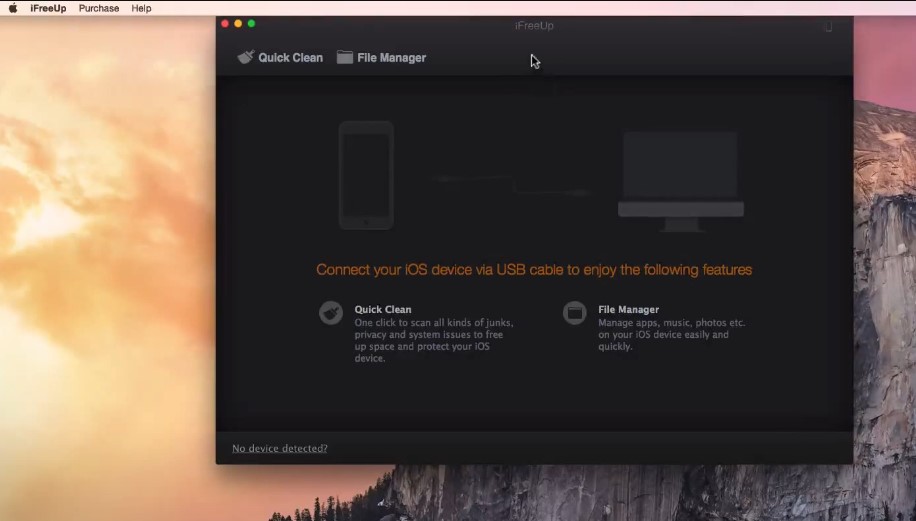
Can you install the iFreeUp on Mac?
Yes, you can install iFreeUp on Mac using the virtual machine that emulates the full functionality on Apple’s PC. Then you can use this tool just like we’ve described above. Just remember that there are no legally sold iFreeUp serial number packages. Right now the tool is completely free for use!
Conclusion
iFreeUp is a must-have for every iOS user who wants to keep their devices working well. It has a simple layout and strong characteristics that make it easy to delete junk files, handle data, as well as safeguard personal privacy.
The feature of smoothly moving files between your device and PC along with the ability to shred deleted photos provides advanced maintenance without difficulty from iFreeUp.
From clearing space on an iPhone that only has 64GB to managing a large media library on an iPad, this tool is the answer. Get this utility tool now and see how much better your iOS device can be – cleaner, quicker, and safer.