The Classic Agent Ransack Utility: Boost Your Search Options

Boost Your Search With a Professional Agent Ransack Freeware
Are you looking for a reliable search tool to find the required phrase or even word in all the files available on your PC? Look no further because there is a long-time freeware capable of finding any information on your hard or attached drive quickly and efficiently. Called Agent Ransack this program offers plenty of useful features that can immediately boost your search results. Get to know how to use this advanced search program from the following guide.
Agent Ransack Overview
Delivered by Mythicsoft Ltd. in 2000 Agent Ransack is an advanced file-search utility assisting users in locating files on their hard drives or local networks. Despite the lack of advanced features and mobile integration, this PC tool is widely used by small businesses, large corporations as well as individuals – data analysts, researchers, legal professionals, and software developers.
One of the best things about Agent Ransack is the ability to create customized searches extending the functions offered by default Windows searches. Mostly, this profound tool is aimed at technical specialists and programmers.
If you decide to download Agent Ransack, be sure you get a powerful search engine locally on your PC system. Its algorithm can scan the content of all files within a specified drive or folder. As a result, the user gets the list of all files matching the search request along with the corresponding line numbers and text snippets containing the searched keyword.

Key Features
This program includes a bunch of useful features along with an in-built wizard to help users who need to construct regular Perk-style expressions instead of basic DOS expressions. Such new regular expressions allow the creation of more precise and extensive search inquiries.
Among other key features available for Agent Ransack users:
- Boolean expression engine: the tool supports web-style search expressions of OR, AND, NOT, REGEX, LIKE, and NEAR operators. Ransack’s configuration matches the expression across the whole file (by default) or on a line-by-line basis (through the Options Tab);
- Highlighted keywords in the search results – no need to open every file in a new tab;
- Supports multiple Office 2010 and OpenOffice formats;
- A native 64-bit version for better compatibility;
- Printing and exporting: the program allows sharing the search results through reports, printing, and exporting;
- Professional (corporate) version: besides the basic freeware functions, the program has also a professional (paid) version called FileLocator Pro;
System Requirements and Windows Compatibility
Suitable only for Windows OS, Agent Ransack supports a lot of file formats compatible with this software. First and foremost, users can search through all popular text-based files such as Microsoft Word documents, HTML, TXT, PDFs, etc. The freeware is also capable of searching through images and music formats (binary files).
The Ransack is accessible in 32-bit and 64-bit versions. A user can download Agent Ransack on Windows, with the minimum system requirements. For now, there is no native Agent Ransack Linux version. Also, you can’t install Agent Ransack for Mac OS.
Pros:
- Occupies less disc space than similar tools;
- Doesn’t require indexing of your file system;
- Quite efficient search for text/regex in files;
- Available in free and paid versions;
- Can search all over the drives attached to your PC;
- You can search inside the SAS file;
Cons:
- No FTP support meaning no connection to remote servers;
- It is not very quick because it doesn’t do index files;
- Can’t search through PDF files protected by a third-party password:
- A bit outdated interface;
Pricing: Different Versions
The Agent Ransack download is available for free. Using this program is also free both for individual and commercial purposes. However, you can support the developers with a voluntary donation for future updates. Also, you should keep in mind that the freeware is a stripped-off mode of FileLocator Pro. The pro version of the program allows searching in archives and Outlook (.pst files) and customizing your search options. However, if you just need to search through the system files and all folders the freeware options will be enough.
Customer Support
This utility has impressive customer support – you can contact the developers from Mysticsoft directly via email. Alternatively, read their detailed FAQ section with descriptions and screenshots explaining how to use Agent Ransack at its full potential. In any case, the official website is the best place to find the answers to all your questions about this freeware.
How To Install Agent Ransack?
To download Agent Ransack software, first, you ought to pick between the versions called AgentRansack (free), FileLocator Lite (free with the ability to switch to the paid version), and FileLocator Pro (paid). Also, you may select between Agent Ransack Portable and Agent Ransack 64-bit versions. You can install it on a USB drive as well as on your desktop.
After choosing follow the instructions on the screen:
- Usually, it is better to download and install a .exe file from the official website;
- Create a new folder at C:\Downloads and download the agentransack_xxxx.exe to this folder;
- Launch a Command Prompt by selecting Run as an Administrator;
- Go to your C:\Downloads folder;
- Enter the command – agentransack_xxxx.exe/S/uin;
- Press Enter;
Agent Ransack: How To Use?
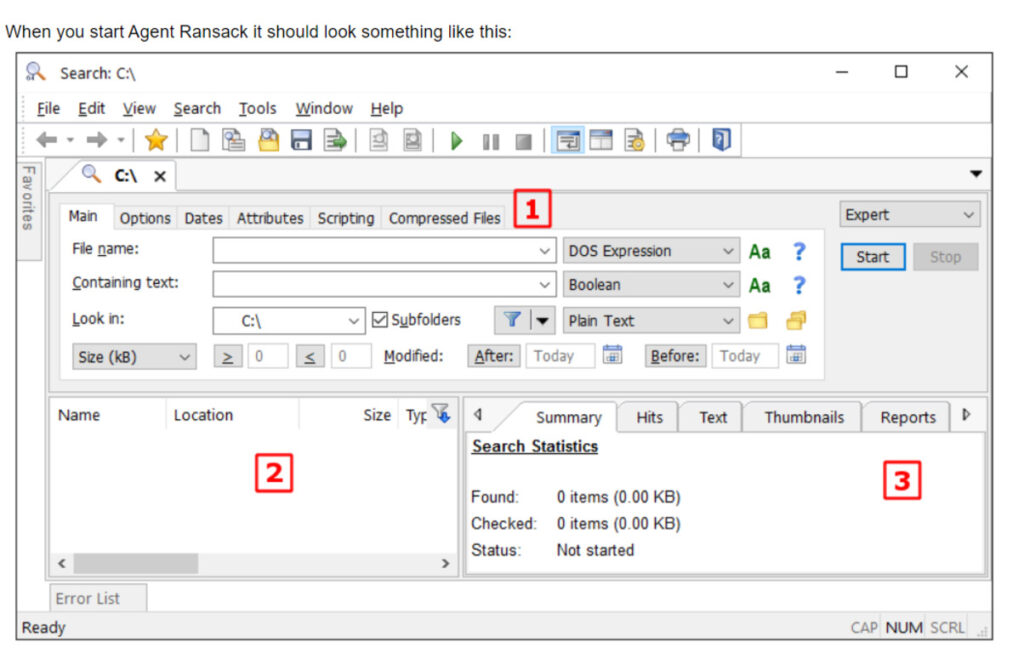
The software has a classic tabbed user interface. You can type in the search terms and create them by applying DOS expressions and regular expressions using Boolean terms such as OR, NOT, AND.
Basic searches are easy to figure out. Select a file or its part, the drive or directory, or optional text within a file to search for. Users can dig into binary files (including UTF-8 files and .exe installers) but can’t work with .zip files or any archives in a free version.
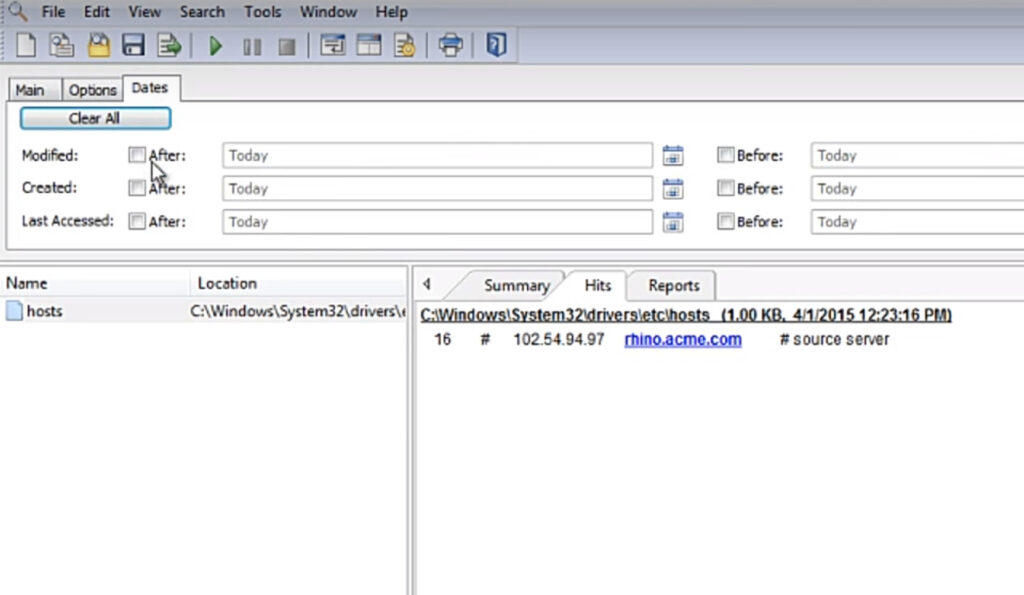
Match file names display (on the lower left). Then click a listed file displaying any matching content (on the lower right) without opening the file. Then double-click a filename to open the file as usual.
After finishing a search you should see the results with the available options. The report with the search results can be exported and used in other programs such as Easy Speech2Text.
Agent Ransack vs. FileLocator Pro: Is There Any Difference?
Many beginners who have never used this search tool wonder why it looks like another popular file-search utility – FileLocator Pro. Are these tools the same or different? The thing is they are the same programs with mostly identical code. Two brands are explained with the long-time history of the program development. The first version of this free file-search product was released in 2000 and was named Agent Ransack.
In 2003, the same program with a few tweaks that was the paid Agent Ransack Pro version was released under the new brand name – FileLocator Pro. The brand name was drastically altered to attract more users to the pro version. From 2003 till 2019, two programs with the same code but different monetization systems were available for download. Right now, FileLocator Pro has a Lite mode and Agent Ransack has a tweaked Pro version along with the freeware. By the way, the Pro licensed codes for FileLocator and Ransack are interchangeable.

Agent Ransack Alternatives
Multiple file-search tools and utilities can be picked as Agent Ransack alternatives.
Here is the list of just a few of them to check:
- grepWin is a great basic tool mostly used for a quick search-and-replace feature and PCRE regular expressions;
- dnGREP stands for the most user-friendly tool with easy search and readable results;
- DocFetcher is a portable search application available in English/German, with an open-source code;
- X1 Search is a great paid alternative to the in-built Windows Desktop and Outlook Search options;
Agent Ransack FAQ:
- What are the specifics of Agent Ransack portable versions?
A few updates back the Agent Ransack portable version installer was introduced on the official website. You can simply copy the installation folder to another folder/drive. The saved user app data is the only thing you may want to change.
- Can this tool look for zip files?
Yes, but you should buy the pro version of this program (paid), the Lite (free) version can’t help searching through ZIP, GZ, and RAR.
- Can you filter the search results in this software?
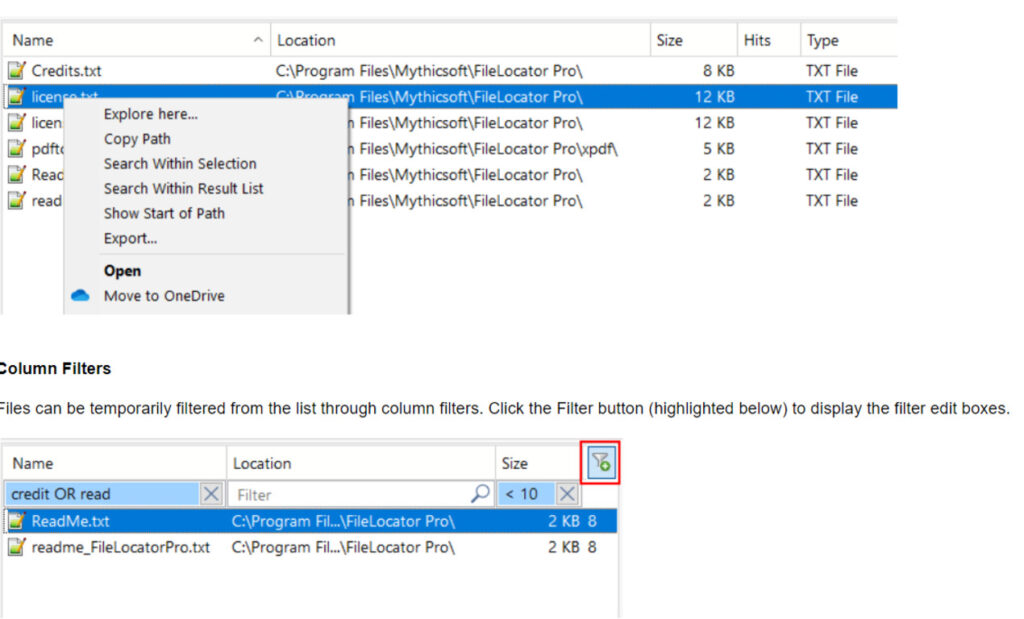
Set up the parameters such as file type, size, and date to filter the search results. Narrow down the search results and find what you need more effectively.

- Is this software compatible with Windows 10 OS?
Despite the respected age of 20+, this classic file-search tool is now fully compatible with Windows 10 OS, and the earlier versions as well. Unfortunately, there are no Agent Ransack Mac or Linux versions.
- Is this tool available for app integration?
You can’t integrate this program with other desktop or mobile applications. But you can easily copy and paste the search results from the program into another app.
Conclusion
Agent Ransack stands for a quick-acting and easy-to-apply software for an advanced textual search all over the operating system of a PC user. With its help, it is possible to locate misplaced files or words within the textual documents with a few clicks. This highly customizable tool comes with a set of parameters to make your search results even more specific.