
Get an Unlimited Access to Freefy Music App
What Is Freefy?
Freefy is the new kid on the block when it comes to music streaming. This website offers an absolutely free music streaming experience without any subscriptions. Launched as a unique alternative to Spotify and Apple Music, Freefy has one distinguishing factor: no ad interruptions. It’s made for users who love music but also want to avoid paying monthly fees. Besides, it is the best option if you do not want to use illegal applications with stolen copyright.
What makes this music streaming website special is the ease of use. With its highly intuitive interface, there’s no limited access – no tweaking of advanced settings or browsing through overwhelming menus. You can easily use the Freefy search to find the tunes of your favorite artists, albums, or tracks. Use the mobile app or web player, create playlists, and enjoy free music on the go or at your home.
The service also runs on donations. Instead of having a premium “unlock” for more features, the team humbly lives off the optional donations from users to help the platform scale.
What Can Freefy App Do?
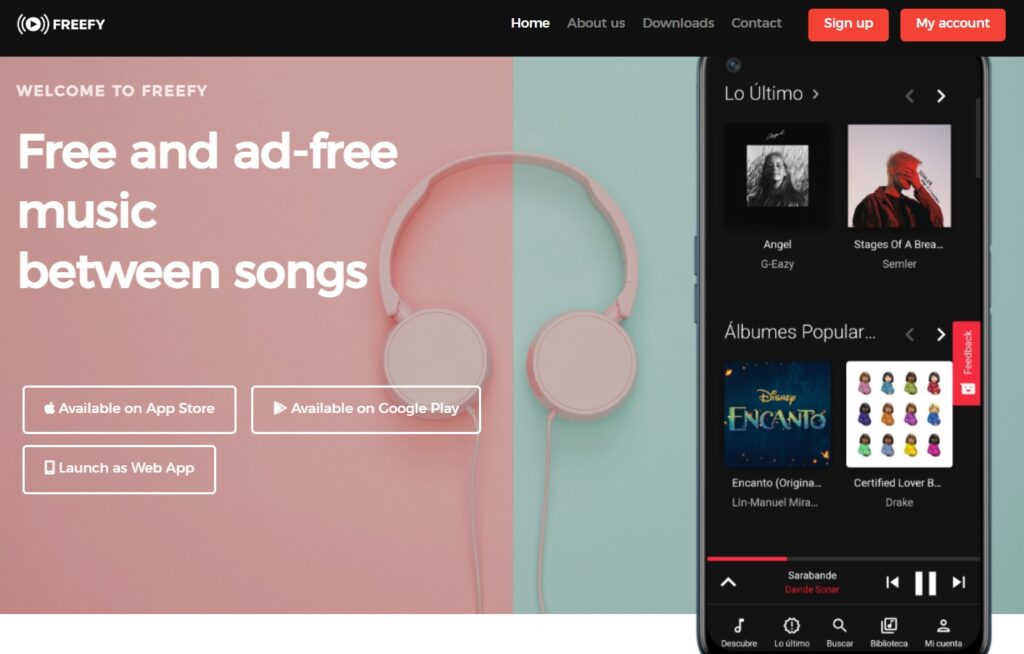
The Freefy music app offers a feature-rich solution comparable even with the largest streaming services. The app is designed to make the process of discovering, listening to, and enjoying music as easy and enjoyable as possible.
Charts
Freefy lets you see what’s hot worldwide with Global Charts and Top 50 Countries. Get introduced to the most burning tracks from different parts of the world. Whether it’s the newest hits in the U.S., the latest charts in the U.K., or Japan, this streaming service keeps your finger on the pulse of world music.
Popular Tracks
The point is to show the most streamed songs across genres. It’s easy to tap into the latest hits, and if you’re that person who wants to stay current with the biggest tracks, then here it is.
New Releases
Here you get instant access to the freshest albums and singles. Be it your favorite artist or any new breakout musician – you never get to miss a single release that you’ve been looking for.
Favorite Artists
The feature for Artists will take you deeper into the musicians’ work: full discography, and curated playlists. It is easy to navigate this tab on the website – from discovering new artists to getting back to your old favorites. Thanks to the Advanced Search, finding what exactly you are looking for is a complete breeze: you can search for songs, albums, artists, or even playlists very quickly.
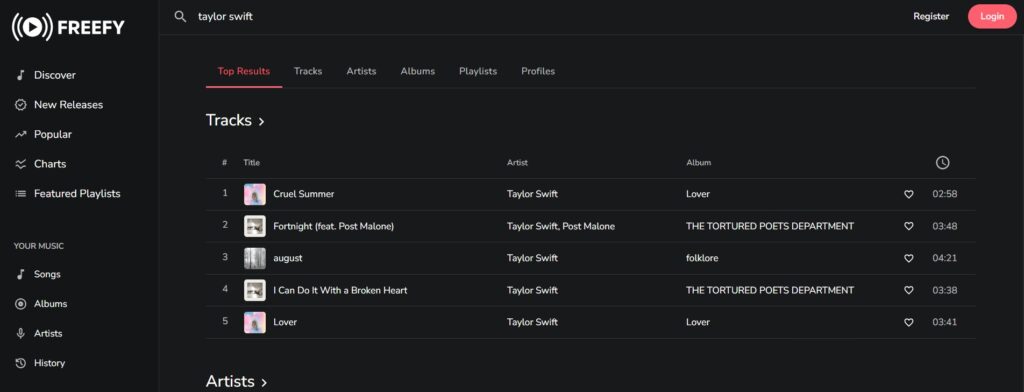
Unlike Musicfy AI and similar services, the music library is handpicked and manually moderated, though the new tracks appear through open APIs of such services as YouTube and Spotify.
Discover New Artists
The featured playlists and Discover sections of Freefy will be quite enjoyable for music lovers who rely on recommendations. Thanks to the smart algorithm of Freefy music service, it will recommend songs and playlists depending on your taste in the music you enjoy listening to. It is a great way to expand your musical horizons and find new favorite artists without wasting a lot of time surfing.
Offline Listening
Besides Freefy music online features, the platform also includes other features like offline listening, you can download favorite songs and playlists when there is no availability of an Internet connection. It can be quite handy to listen to favorite tracks even in those areas where online services might be minimal. Also, Freefy’s open API allows other developers to make their integrations of these features. According to user’s reviews on Reddit, this option is very helpful for website that wants to add free music to their platforms.
Summing up, Freefy is designed to be much more than a simple music player. Global Charts, Popular Hits, New Releases, and an intelligent Discover section make this platform an all-in-one music experience that keeps you in control of what you listen to and how you find it. No matter if you’re streaming the latest chart-toppers or deep cuts, Freefy has something to offer for everyone.
Pros:
- Absolutely free;
- No ads in between;
- User-friendly interface;
- Access to music worldwide;
- Offline mode;
- Music recommendations from the service;
- Donation-based system;
- Available for cross-platform listening;
- No premium tiers;
Cons:
- The mobile app is lagging;
- Limited Custom Playlist features;
- Depends on YouTube for expanding their music library;
- Not many advanced features compared to paid streaming services;
- Not many responses from users;
- Limited information about artists;
- New music won’t appear on the release date;
How to Use Their Search for Free Music?
Advanced Search is one of the strongest features of their website and app. Users can find the music they are looking for in just a few seconds. Be it a certain song, an artist, an album, or even a playlist, the way the Freefy search system works will make it easy and smooth. Now, let’s take a closer look at how it works and why it’s so great.
For example, if you want to find Freefy Taylor Swift music, you should do the following steps:
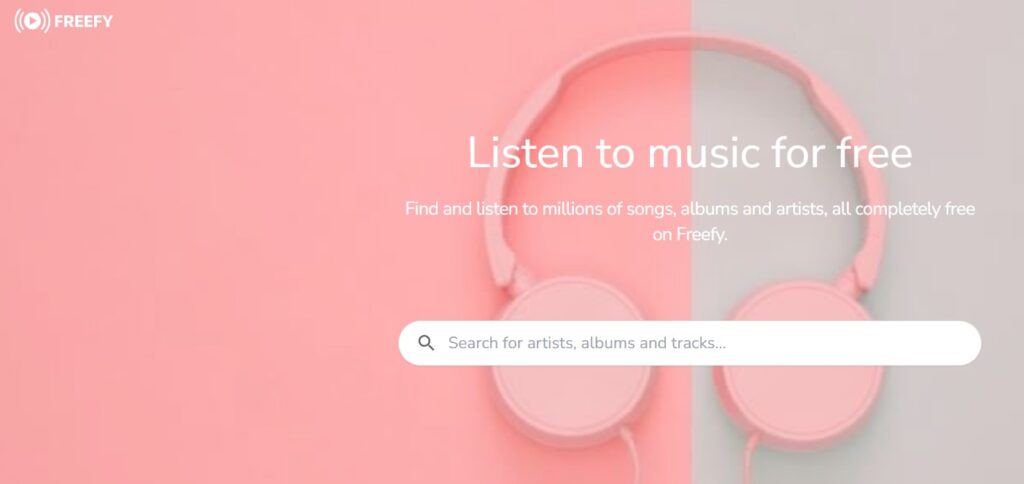
- The search bar is quite easily located at the very top when opening the app or web player;
- You only need to type in the name of the song, artist, or album you’re looking for and press enter;
- Get the results instantly and add the required tracks to your playlist or library. All the songs you listen to are saved automatically to your History tab (for registered users);
That’s what makes Advanced Search so powerful, as it also searches via the open API besides its database alone and makes sure whatever you’re looking for won’t be hard to find.
One of the coolest things is the different tabs that organize your search results. Instead of giving you one big long list of everything it managed to scrounge up, this music app separates them into Songs, Albums, Artists, and Playlists tabs. This makes refining your search easier, depending on what you’re after. If you’re in the mood for a particular song, head straight onto the Tracks tab. If you feel like going through an artist’s complete works, the Artists tab will lead you to their full discography.
Freefy also has another useful feature for registered users – the History tab that logs your listening habits conveniently. This is a very easy-to-read tab on what you have listened to lately. This option can be especially useful in a situation when you can’t remember the name of some tracks you liked earlier or you want to get back to a certain playlist. You can save your favorite songs directly from the History tab and add them to your library for future playback.
If this guide is not enough to start using Freefy, check their tutorials and guides on the service’s official YouTube channel.
How to Download This App on Mobile?
Fortunately, the Freefy music platform has native apps on iOS and Android OS. You can easily download Freefy from Apple AppStore and Google PlayStore.
When Freefy installs, you can start listening to your favorite music straight away. Another hidden feature that comes along for iPhone/Android users is playing background music as you browse other apps. It means that Freefy can be running in the background, but you check your emails, scroll through social media, or even play games without your tunes being disrupted. The app is optimized for seamless multitasking on your smartphone or tablet.

Both Freefy apps have almost all core functions available on the web player, including advanced search, personalized recommendations, and offline listening. The mobile app allows you to take your music anywhere: while traveling, at the gym, or when just chilling at home.
Pricing Policy
One thing really sets Freefy apart: its pricing policy, or rather, the lack of one. While most music streaming services have some sort of subscription-based model that unlocks premium features, this platform relies only on users’ donations.
As opposed to charging any of the users for the usage, Freefy does community-charged support through donations. Using the services like BuyMeACoffee, among others, will let its users donate $ 5 to support the platform.
Apps Like Freefy – Picking the Similar Alternative
If you are searching for websites like Freefy, there are multiple services where you can find your favorite music legally – paid or free services. We’ve checked 3 different platforms.
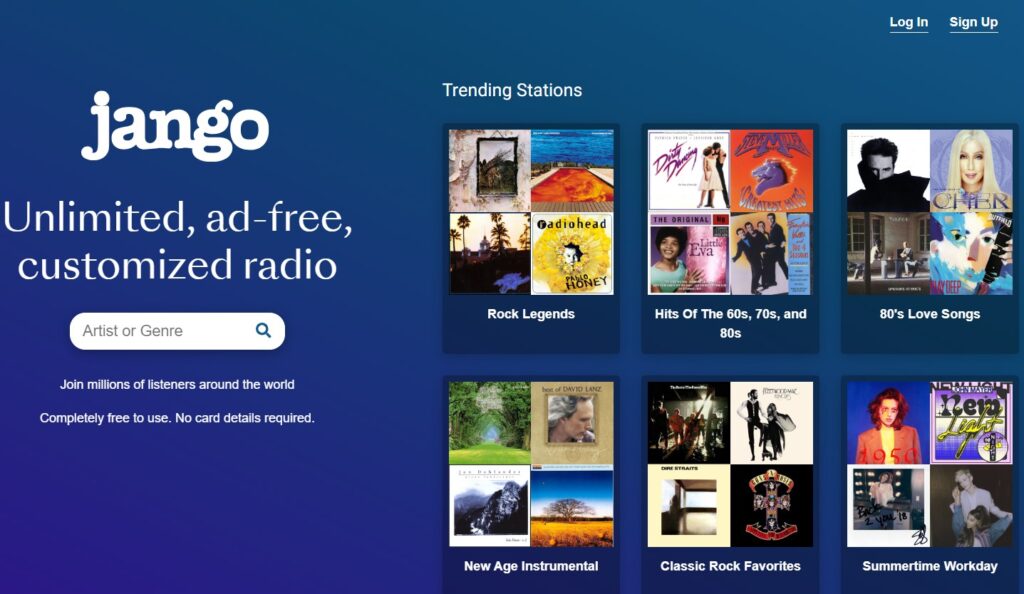
Jango is one place where you can listen to your favorite artists, find new music, and do so for free in a radio-like fashion. One of the prime features Jango offers is radio stations. Just select your favorite artist, and the app will create for you a radio station with similar artists and tracks. Unlike most of these services, Jango doesn’t cap the number of songs you can skip, making this a great alternative for those who want to lean back and have it automated. It’s available on both iOS and Android, and there are a few ads, but they are minimal and non-intrusive.
SoundCloud is one of the largest music discovery platforms, hosting millions of tracks from mainstream artists down to emerging musicians. This is a very good avenue to explore different genres and get fresh sounds. While it does have a paid tier, the free version opens up a wide library of music for you. You can create playlists, follow artists, and interact with creators – pretty much anything you’d want – all these features are accessible for free. SoundCloud is available on iOS, and Android, and as a dedicated website.
YouTube Music is one of the most versatile free music services with a huge catalog of songs, albums, and videos. The free version has many annoying ads but gives unlimited access to millions of songs from all over the world. You can search this platform song-wise, album-wise, artist-wise, or even video-wise. One feature that would stand out is its recommendation of music based on your listening history, pretty much like Freefy. The YouTube Music app is available on iOS and Android and will do quite well the job for anyone who would want a mix of mainstream and independent music, with powerful search options.
Frequently Asked Questions
Is Freefy safe to use?
Yes, Freefy is safe to use. It uses official APIs from services like YouTube and Spotify so that it does not violate any terms of service. Also, its privacy policy is quite transparent about user data, guaranteeing that nothing is ever shared with third parties. No shady downloads or pirated content are involved either. Also, Freefy operates legally and offers secure services for streaming free music without safety concerns.
How to make Freefy unblocked for the first time?
You can unblock Freefy using a VPN to mask your location and bypass blocks based on your location, school, or workplace. Just make sure to use a decent VPN so that connection issues don’t pop up. Otherwise, you might want to try and access Freefy via its web player which is available without any limits or blocks.

How to sign up for Freefy?
It is easy to go through Freefy sign-up steps. You can create an account directly from within the app or web player. All it takes is to enter your e-mail address, choose a username and password, and voilà – you’re ready to go. No subscription fees, no complicated steps. After your registration you can use the Freefy login credentials, you can listen to their libraries, create playlists, and explore the customized recommendations.
How to create your playlist with the Freefy music app?
You can create the playlists in the blink of an eye. First, log in and search for the songs or albums you want to add. There’s either a “+”, or “Add to Playlist” option next to the track or album title. Click it, and you’ll be asked if you want to create a new playlist or add it to the existing one. You have every possibility to name and organize playlists at your discretion.
How to transfer your Spotify playlists to Freefy?
Such third-party services as TuneMyMusic or Soundiiz help to transfer your Spotify playlists to Freefy. These websites will let you connect your Spotify and Freefy accounts in just a few clicks to transfer all the available tracks from the saved playlists. Once this is set up, simply select which playlists you want to transfer, and the tool will take care of the rest. Syncing your favorite songs right from Spotify into your Freefy account.
Conclusion
Freefy offers a donation-based music-streaming platform where you can get unlimited, no-ads access to music without charge. With open API and advanced features, this platform is a good choice to enjoy any kind of music anywhere and anytime without any limits.






1 thought on “Get an Unlimited Access to Freefy Music App”