GeForce RTX 4070 DLSS 5 compatibility: what studios and players should know
GeForce RTX 4070 DLSS 5 compatibility explained: current official support status, DLSS 4.5 baseline, and what game developers should plan for.
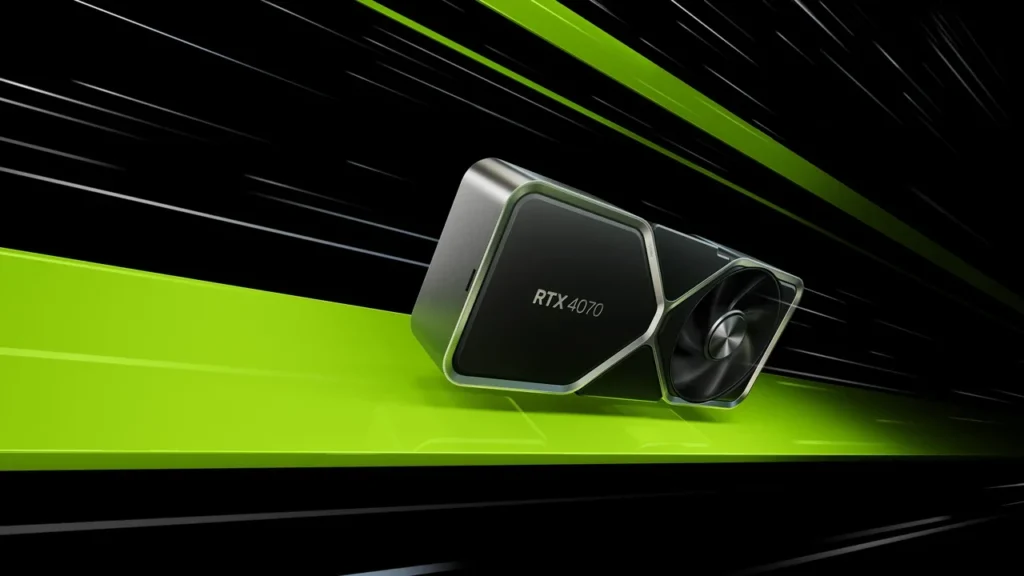
GeForce RTX 4070. Image credit: NVIDIA.
GeForce RTX 4070 DLSS 5 compatibility: where things stand for game teams
No official DLSS 5 support has been announced for the desktop GeForce RTX 4070. Its documented limit is DLSS 4.5 Super Resolution, Ray Reconstruction, and Frame Generation. A release branch should not assume that DLSS 5 will run on a stock card until NVIDIA publishes the driver, SDK, and hardware support.
Each DLSS generation can change integration requirements and hardware rules. A wrong assumption can leave a broken menu option, inconsistent support across players, or marketing copy that needs a correction. Keep the current build on the known path and make later support a runtime decision.
The RTX 4070 in NVIDIA’s stack
The desktop RTX 4070 is a mid-range Ada Lovelace card with 12 GB of GDDR6X on a 192-bit bus and a 200 W default board power. It has third-generation RT cores, fourth-generation Tensor cores, hardware AV1 encoding, and Shader Execution Reordering. Game Ready drivers and the official Unreal Engine and Unity DLSS plugins are mature, and the card maintains a visible share of the Steam Hardware Survey in its tier.
Current DLSS networks run on its Tensor Cores without difficulty. DLSS 5 remains a driver and SDK exposure question controlled by NVIDIA, not a switch a game or player can force.
The GeForce 40 series entry records the Ada timeline and the SUPER, Ti, desktop, and laptop variants. It is useful hardware context, while official DLSS 5 launch guidance is expected to identify supported hardware by RTX 50 series and later rather than list every RTX 40 SKU individually.
What the current SDK exposes
Super Resolution reconstructs a higher-resolution frame from a lower-resolution render. Ray Reconstruction uses one learned model for lighting, reflections, and shadows instead of hand-tuned denoisers. Frame Generation inserts an interpolated frame, improving perceived frame rate while adding some base-resolution render cost and a small latency increase. DLSS 4.5 groups those features behind one plugin and graphics API entry point.
In Unreal Engine 5, the official plugin exposes Quality, Balanced, Performance, and Ultra Performance, plus separate Ray Reconstruction and Frame Generation switches. The shipping SDK for the RTX 4070 has no DLSS 5 path. An unsupported toggle may fall back silently, refuse to enable, or report a plugin error.
How NVIDIA positions DLSS 5
NVIDIA presents DLSS 5 as a wider neural-rendering toolkit than the current combination of Super Resolution and Frame Generation. Public information on the NVIDIA DLSS 5 research page uses an RTX 50-series baseline. Until a compatibility matrix names the desktop RTX 4070, its support remains unannounced.
Four outcomes remain possible: full support through a new driver and SDK, partial support without the heaviest neural passes, no support, or a reduced-quality legacy path. A studio cannot promise any one of them before NVIDIA does.
Compatibility is not performance
Compatibility says whether a feature runs. Performance describes its frame-time, VRAM, and image-quality cost. Even if a future driver enables DLSS 5, the 12 GB memory capacity and 192-bit bus still need direct validation.
DLSS networks have grown with each generation, and DLSS 5 may use more VRAM if it includes multipass neural shading or learned post-processing. A path that behaves well on a 16 GB RTX 4080 or 24 GB RTX 4090 may run differently on 12 GB because transient headroom and bandwidth are lower. That is a general planning rule, not a claim about unannounced DLSS 5 requirements.
What belongs in today’s compatibility matrix
List every feature and preset, the minimum driver, and the exact GPUs tested internally.
Recommended support matrix for the desktop RTX 4070
| Feature | Status on GeForce RTX 4070 (desktop) | Recommended shipping posture | Notes for QA |
|---|---|---|---|
| DLSS Super Resolution (Quality, Balanced, Performance, Ultra Performance) | Officially supported on DLSS 4.5 | Ship enabled by default on supported presets, with an “Off” option | Validate VRAM headroom at 4K Ultra Performance on a 12 GB SKU |
| DLSS Ray Reconstruction | Officially supported on DLSS 4.5 | Ship with an on-off toggle, default on for RT-heavy scenes | Compare denoiser quality on representative levels with heavy path tracing |
| DLSS Frame Generation | Officially supported on DLSS 4.5 | Ship as an opt-in feature, default off if base FPS is below 60 | Measure base FPS and Frame Generation latency on the 12 GB configuration |
| DLSS 5 (any mode) | No official support announced for this GPU at launch | Do not ship with DLSS 5 toggles exposed in shipping UI | Monitor NVIDIA driver release notes for future support statements |
Keep the DLSS 5 row open rather than hinting that support is imminent. Public documentation should mirror what the studio can verify.
Runtime checks for Unity and Unreal
Ask the DLSS plugin instead of hard-coding GPU names. Its feature-support data reports whether a feature exists, whether the current GPU supports it, and whether the driver is recent enough. Build the settings menu from those results and fall back to a non-DLSS path when needed.
A static DLSS 5 control that fails after selection looks broken. Show only supported features, or explain that a missing option requires a newer driver or compatible GPU without presenting it as enabled DLSS 5.
Pre-release validation checklist
- Confirm every test bench uses the Game Ready Driver version listed in the studio matrix.
- Measure native frame times at 1080p, 1440p, and 4K on the 12 GB desktop card.
- Measure every Super Resolution preset in representative particle-heavy, transparency-heavy, and ray-traced scenes.
- Test Frame Generation, record its latency, and require the base FPS to remain above the studio’s threshold before enabling it.
- Compare Ray Reconstruction with the hand-tuned denoiser on path-traced reflections and global illumination.
- Toggle every DLSS feature under stress and watch for driver-side TDR events.
- Check VRAM headroom in the heaviest scenes with every supported DLSS feature enabled.
- Verify that the shipping UI hides DLSS 5 until NVIDIA documents support.
Edge cases on a 12 GB RTX 4070
Driver rollouts can be staged. The RTX 4070 may receive a driver after the RTX 4080 and RTX 4090, especially if NVIDIA adds VRAM-specific guidance. Do not treat support as uniform across RTX 40.
Frame Generation does not erase the cost of the base render. A GPU-bound scene remains GPU bound because the synthetic frame appears only after the base frame. Also test high-refresh displays: 360 Hz at 1080p is a harder real-time target than 60 Hz at 4K, and competitive games should measure end-to-end latency with the in-game overlay. Finally, check HDR separately. Several DLSS 4.5 regressions in released games came from tonemapping rather than the upscaler.
Reading NVIDIA driver notes
Game Ready release notes record the DLSS SDK, exposed features, and supported GPUs. The Game Ready label itself refers to new-game readiness, not a new DLSS version, so read What’s New, Fixed Issues, and the SDK version entry.
Until the desktop RTX 4070 appears in DLSS 5 launch notes, assume either that the SDK does not support it or that support is deferred. NVIDIA’s driver notification feed is safer than third-party coverage that may repeat an RTX 50-only press statement too broadly.
Keeping the engine ready for a later SDK
Keep the NVIDIA plugin current and store settings by feature rather than marketing generation. Then a new preset can be data rather than a renderer edit.
Build the UI from reported feature availability instead of an RTX 50 model check. That covers future full or partial RTX 4070 support. Keep test-bench configurations documented so QA can rerun the checklist as soon as a new driver arrives.
The card’s long product life
The desktop RTX 4070 launched in April 2023. Mid-range cards often remain in PCs for four to six years, longer than one DLSS generation. Studios should therefore keep a complete DLSS 4.5 path, reliable fallbacks, and UI that does not overpromise for this long-tail target.
Do not call the card “DLSS 5 ready” until NVIDIA says so. Correcting a premature compatibility claim costs more trust than updating a website after a driver ships.
Documents to check at launch
Read NVIDIA’s developer announcement, the DLSS SDK release notes, and the launch Game Ready Driver notes. Together they should describe GPU families, APIs, plugin versions, migration steps, and feature support per card.
The deciding evidence is an official entry naming the desktop RTX 4070. If it is absent, leave DLSS 5 out of the shipping UI.
Current support across nearby RTX 40 cards
The table compares current desktop support only and does not forecast later driver changes.
DLSS features across the RTX 40 desktop family
| GPU | DLSS 4.5 Super Resolution | DLSS 4.5 Ray Reconstruction | DLSS 4.5 Frame Generation | DLSS 5 support at launch |
|---|---|---|---|---|
| GeForce RTX 4070 (desktop) | Officially supported | Officially supported | Officially supported | No official support announced |
| GeForce RTX 4070 Super (desktop) | Officially supported | Officially supported | Officially supported | No official support announced |
| GeForce RTX 4070 Ti (desktop) | Officially supported | Officially supported | Officially supported | No official support announced |
| GeForce RTX 4080 (desktop) | Officially supported | Officially supported | Officially supported | No official support announced |
| GeForce RTX 4090 (desktop) | Officially supported | Officially supported | Officially supported | No official support announced |
Do not extend desktop results to laptop or Max-Q models. The mobile RTX 4070 has a different power envelope and VRAM configuration.
A short readiness plan
Write down the supported features, tested GPUs, qualified drivers, and next review date. State that RTX 4070 DLSS 5 support is unannounced and assign one owner to rerun validation after each driver or SDK release. Even a small team benefits from this record; without it, unsupported store copy can slip into a release.
Frequently asked questions
Does the GeForce RTX 4070 support DLSS 5 at launch?
No. No official launch support has been announced. DLSS 4.5 remains the supported family.
What is the latest official DLSS version?
DLSS 4.5, with Super Resolution, Ray Reconstruction, and Frame Generation through official engine plugins or the SDK.
Will DLSS 5 ever come to the RTX 4070?
Later support is possible but unannounced. NVIDIA’s driver and SDK release notes will provide the first reliable confirmation.
Is the laptop RTX 4070 equivalent for DLSS?
No. Mobile power, cooling, and often VRAM differ. This guidance covers the desktop card.
Will enabling DLSS reduce frame rate?
DLSS aims to raise effective frame rate by rendering at lower resolution and reconstructing the output. Frame Generation adds a synthetic frame without reducing the base-frame cost. Validate the net gain on the actual 12 GB card and driver.
Which driver should QA use?
Use a recent Game Ready Driver that the team has qualified for DLSS 4.5 and record its exact version in the compatibility matrix.
Can a game show DLSS 5 controls to an RTX 4070 user?
It can, but it shouldn’t when the driver reports no support. Build the menu from runtime capability and explain missing support clearly.
How does DLSS 5 differ from DLSS 4.5?
Pre-release material presents it as a wider neural-rendering framework. NVIDIA still needs to publish the final feature list, performance cost, and compatibility matrix.
Will DLSS 5 keep the same presets?
That is unconfirmed. DLSS 4.5 uses Quality, Balanced, Performance, and Ultra Performance; a later SDK may retain, add, or redefine those names.
What should a studio do now?
Keep the plugin current, make settings feature-driven, record supported hardware and owners, and rerun validation after each driver or SDK release.